Auto-claim
Leave Avatar Cart in the tray and new free avatars and themes land in your library by themselves — for every PSN account on your license.
 Avatar Cart
Download
Avatar Cart
Download
For PlayStation players on Windows
Avatar Cart finds every free avatar, theme and game in your PlayStation Store and adds them to your library — hundreds at a time, while you do something else.
Pick a region, see every free avatar, theme and game with its picture, and claim them all — or just the ones you like. Items you already own are skipped, and offer-only items are marked so you don't waste a try.
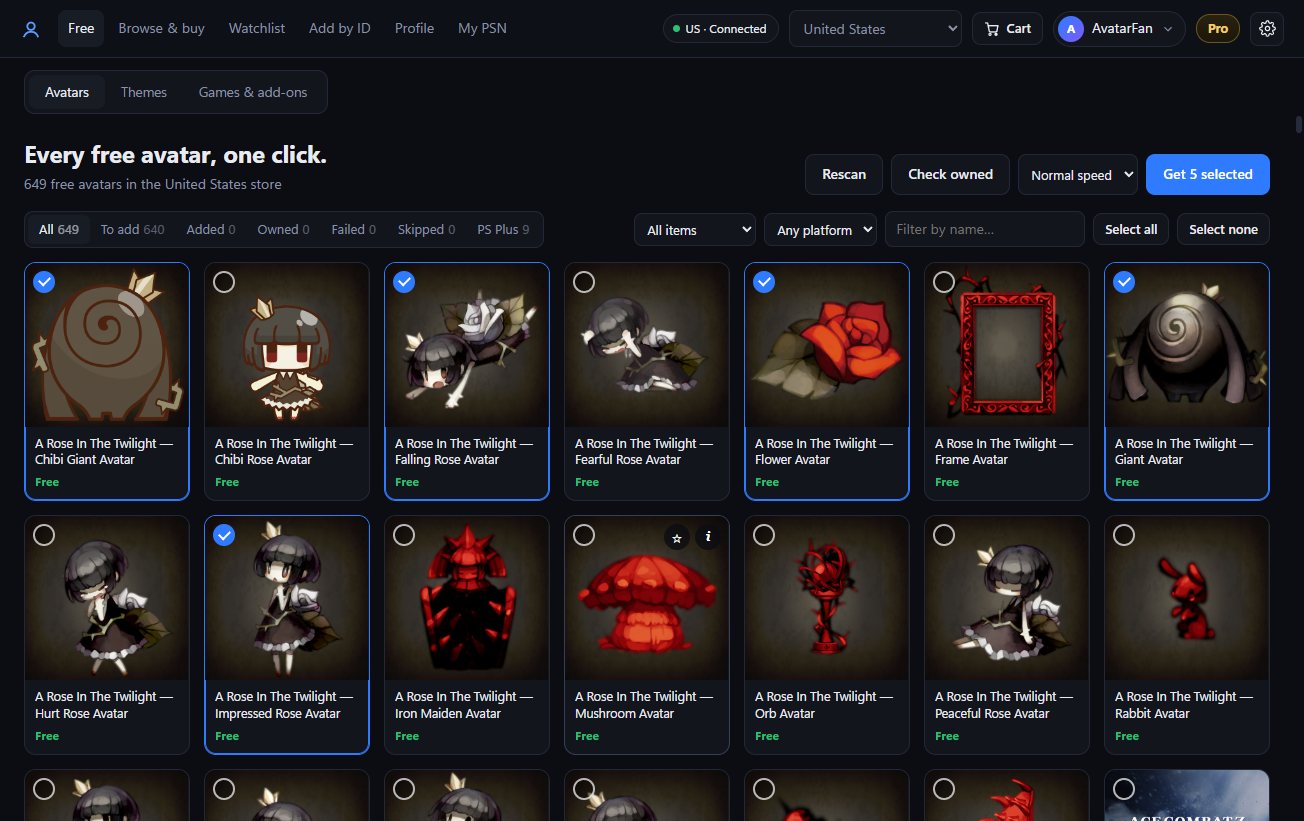
Leave Avatar Cart in the tray and new free avatars and themes land in your library by themselves — for every PSN account on your license.
Browse the whole store with price, sale and platform filters, compare prices across regions in US$, and send up to ten items to your PlayStation cart at once.
Star the items you want and get a Windows notification when they go on sale or become free, with their price history.
Save your avatar, About me and languages as presets, change your avatar on a schedule, or go back to the plain PSN avatar in one click.
Write your About me with the console's own symbols — trophies, buttons, PS Plus — exactly as they look on PS5 and PS4.
Keep several PSN accounts signed in side by side, each in its own store region, and switch between them in the top bar.
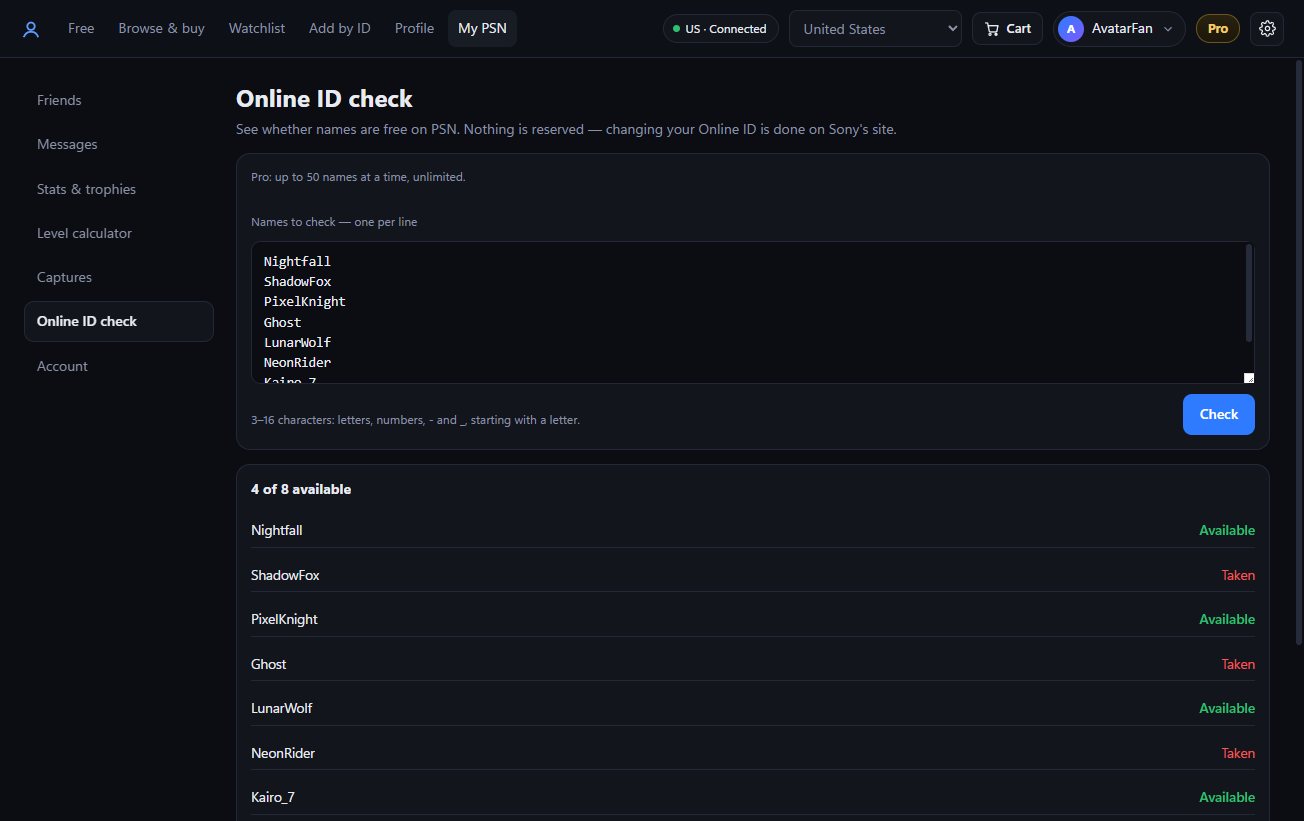
Paste a list of names and see which ones PSN would accept right now. Nothing is reserved — you change your Online ID on Sony's site when you've found one.
| Free | Pro | |
|---|---|---|
| Claim free avatars, themes & games | 1 item per PSN account | Unlimited |
| Send paid items to your cart | 1 item per PSN account | Unlimited |
| Auto-claim new free items | — | ✓ |
| Online ID check | 10 names a day | Unlimited, 50 at a time |
| Profile presets & avatar changer | — | ✓ |
| Reset to the default avatar | — | ✓ |
| Browse, deals, watchlist & alerts | ✓ | ✓ |
| About me editor, friends & trophy tools | ✓ | ✓ |
Every plan is lifetime and includes all updates. You buy inside the app, and your license turns on by itself.
$9.99
1 PSN account · 2 PCs
For your own account.
$19.99
Up to 4 PSN accounts · 3 PCs
Your main, your alts, your family.
$39.00
10 PSN accounts · 3 PCs
Claim for your customers.
$129.00
50 PSN accounts · 5 PCs
For bigger shops.
USDT on TRON or BNB Chain, or USDC on BNB Chain. Your key arrives in the app a minute or two after the payment.
Card, Apple Pay, iDEAL or bank transfer through bunq.me. Upload the receipt in the app and your key follows after a quick check.
Yes. Every PSN account gets one free item to claim or add to the cart, and the Online ID check gives you 10 names a day. Browsing, deals, the watchlist and the profile editor are free.
No. You sign in to PlayStation in your own Chrome window, on Sony's page. Avatar Cart keeps the signed-in session on your PC and talks only to Sony with it.
Avatar Cart uses the same store and the same "Add to library" button your browser does, and paces claims like a person clicking. If you claim very fast, Sony may sign you out for a while — the app slows down by itself when that starts, and Safe speed is there for big runs on your main account.
Yes — Avatar Cart isn't code-signed yet, so Windows doesn't recognise the publisher. Click More info, then Run anyway.
Solo covers 1 PSN account on 2 PCs, Multi covers 4 accounts on 3 PCs. An account stays on its slot once it's added, so pick the accounts you'll keep using. You can move the license to a new PC from the app.
Any PlayStation Store region — the app picks your account's region by itself, and you can switch to another store at any time.
Not yet — Avatar Cart runs on Windows 10 and 11.
Crypto payments show up within a few minutes; card and bank payments after we check your receipt. If it's taking longer, message us on Telegram with your order — we'll sort it out.